Order capture
Take phone orders straight into the system with live prices, promotions and stock — the same rules your field teams work to.


CALL CENTER OPERATIONS
Turn every incoming call into a structured order. Take phone and digital orders with live prices, promotions and stock from your ERP, check credit and open deliveries before you confirm, and keep every interaction on record against the customer and the agent who took it.
Request a demoCAPABILITIES
Phone & digital orders · Live prices & stock · Credit checks · Excel order import (Raspis) · Campaigns & telesales · Returns · Delivery scheduling
Take phone orders straight into the system with live prices, promotions and stock — the same rules your field teams work to.
Pull up credit status, order history and open deliveries the moment the customer is identified, so answers are given on the call.
Run outbound campaigns from target lists, with outcomes and results tracked per agent and per customer.
Multi-store customers send their weekly order as one Excel sheet — the raspis their staff already keep — and every row is checked against that store's product list, stock, prices and delivery days before it becomes an order.
Register returns against the original order with the rule checks, the supervisor approval and the count verified at the door all recorded on the request.
Book or change delivery slots against route capacity, so promises made on the phone match what the fleet can actually do.
Every call, order and outcome recorded against customer and agent — the basis for coaching, reporting and service levels.
ORDER CAPTURE
The moment the customer is identified, the agent has the whole account in front of them — what they last ordered and when, the promotions running for them, what is actually in stock, how much credit is still there and how many cases each product should be. The order is built on those facts and lands in the ERP as a confirmed order — no re-keying, no end-of-day batch.
The agent sells with the same prices, active promotions and stock levels the field sees — straight from your ERP, never from a printed list.
The customer's line of credit, open balance and remaining headroom are on screen before anything is promised, so no order is confirmed past the limit.
Every line carries a recommended quantity worked out from what the location is holding, what it gets through before the next visit and what the depot can actually ship — the agent confirms or adjusts it.
Last ordered date, buying rhythm and the full interaction history open with the customer record, so the agent picks up where the last order left off.
Illustrative customer card — promotions, credit limits, stock positions and order history follow your own ERP data.
Customer 4187 · agent E. Softić · call 03:41
At the location: 2 in stock · 1 low · 1 outAt the depot: 2 in stock · 1 low · 1 outRecommended 92 cases · 106 taken · 1 line short
MASS ORDER IMPORT
Multi-store customers send their weekly order as a spreadsheet — the raspis their staff already keep. Upload it once and every row is read against the store it names: the products that store is allowed to order, what the depot can actually ship, the prices and promotions running for that customer and the delivery days on its route. The rows that clear those checks become confirmed orders on the spot; the rest come back with the reason beside them.
A chain sends a single Excel file — the raspis its staff already keep — with each row naming the store, the product and the quantity, so twelve locations arrive as one upload instead of twelve phone calls.
Each line is read against the store it names: the products that store is allowed to order, what the depot can actually ship, the prices and promotions running for that customer and the delivery days on its route.
Rows that pass become confirmed orders straight away, and the rest are held with the reason written back beside them — the customer fixes four rows instead of the whole file.
Accepted rows land in the ERP as one order per store on the delivery day the sheet asked for, so nobody re-keys a quantity out of a spreadsheet.
Illustrative import — the file, its columns and the rules each row is checked against follow your own customer and ERP setup.
Trgovina Mesković d.o.o. · sheet Raspis 2026-11 · Mon 02 Nov 09:14
| Store | Product | Quantity | Value | Row |
|---|---|---|---|---|
| Market Tuzla Centarcode 4187 | Bili 0.33L CANOn the store's product list · depot stock 61 | 24 cases€297.60 | €297.60 | Accepted |
| Market Tuzla Centarcode 4187 | Sok Narandža 1LPromotion price applied | 12 cases€117.60 | €117.60 | Accepted |
| Kafic Slana Vodacode 4212 | Voda Prirodna 0.5LOn the store's product list · depot stock 148 | 30 cases€126.00 | €126.00 | Accepted |
| Kafic Slana Vodacode 4212 | Energetsko A 0.25LNot on this store's product list | 8 cases€116.80 | €116.80 | Held |
| Market Srebrenikcode 4236 | Bili 0.33L CANQuantity above the 26 cases the depot can ship | 40 cases€496.00 | €496.00 | Held |
| Market Srebrenikcode 4236 | Cipsa Kukuruz 80gOn the store's product list · depot stock 44 | 18 cases€124.20 | €124.20 | Accepted |
| Market Lukavaccode 4251 | Sok Narandža 1LPromotion price applied | 20 cases€196.00 | €196.00 | Accepted |
| Market Lukavaccode 4251 | Voda Prirodna 0.5LOn the store's product list · depot stock 148 | 24 cases€100.80 | €100.80 | Accepted |
| Kafic Grad Tuzlacode 4268 | Sirup Vani 0.5LWed 04 Nov is outside this store's delivery days (Tue, Fri) | 10 cases€84.00 | €84.00 | Held |
| Kafic Grad Tuzlacode 4268 | Bili 0.33L CANOn the store's product list · depot stock 61 | 15 cases€186.00 | €186.00 | Accepted |
RETURNS
The agent opens a return request against the original order while the customer is still on the line, and every line is checked against your return window, accepted reason codes, packaging and batch rules and credit conditions before anything is promised. Only approved lines can be scheduled for pickup, the driver verifies the count and the condition at the door, and the credit note follows what was actually counted back in at the depot.
Return window, accepted reason codes, packaging and batch rules and credit conditions are checked line by line while the customer is still on the phone.
Anything outside policy or above the value threshold waits for the supervisor, who sees the checks and the evidence before deciding — nothing gets scheduled on a verbal yes.
The driver collects only the approved lines, counts the cases, photographs the condition and signs the collection off against the request.
The credit note follows what was counted back in at the depot, and the checks, the approval and the photos stay on the customer record.
Illustrative request — return windows, reason codes, approval thresholds and credit rules follow your own policy.
Market Tuzla Centar · Order #49830 · delivered 12 Oct
| Product | Requested | Verified | Rule applied | At pickup |
|---|---|---|---|---|
| Sok Narandža 1LWithin the 14-day window | 6 cases | 6 cases | Within the 14-day window | Collected |
| Bili 1.5L PET1 case opened · not sealed | 4 cases | 3 cases | 1 case opened · not sealed | Partial |
| Voda Prirodna 0.5LReason code not accepted | 10 cases | 0 cases | Reason code not accepted | Not collected |
DEBT COLLECTION CALLS
The collection queue is built from the open invoices in your ERP — oldest and largest first — and the agent calls with the whole account on screen: what is overdue, the reason already on record and what was tried before. Every call ends with the reason the invoice is still unpaid, written down in your own codes, and that reason decides what happens next — a credit note, an invoice sent again, a visit on the agent's route, a hold on new orders or a hand to the supervisor.
The day's call list is built from the ERP's open invoices, sorted by how long each one has been overdue and what it is worth, so the oldest and the largest are called first and no account sits unclaimed.
The agent sees the overdue invoices, the reason already on the account and what was tried before, the credit still open and the delivery still on the truck — the call starts from the facts.
Why the invoice is still unpaid is written on the call in your own reason codes — cash flow, a disputed delivery, an invoice that never arrived, a credit note still owed — so no account is ever left as a blank overdue line.
Each code carries its own action: the credit note clears the dispute, the invoice goes out again, new orders are held past the agreed day, and anything over the escalation threshold reaches the supervisor with the call history attached.
Illustrative queue — balances, days overdue, reason codes and escalation thresholds follow your own credit policy and ERP data.
agent E. Softić · 30 accounts overdue
| Account | Invoice | Overdue | Value | Reason & next step |
|---|---|---|---|---|
| Market Tuzla Centarcode 4187 · Orders stay open12 days overdue | INV #49830€1,180.40 | 12 days | €1,180.40 | Cash flowFollow-up call booked for FridayOwner on the line · bank transfer booked for Friday |
| Delikates Banja Lukacode 2264 · Orders held until the dispute is cleared47 days overdue | INV #48112€2,340.00 | 47 days | €2,340.00 | Disputed deliveryCredit note raised on the two short linesTwo lines short against the delivery note · dispute opened |
| Market Mostarcode 3375 · Orders stay open24 days overdue | INV #47045€660.00 | 24 days | €660.00 | Invoice not receivedInvoice re-sent to the accounts inboxNever reached the accounts inbox · receipt confirmed on the call |
| Kosmetika Centarcode 5108 · New orders held78 days overdue | INV #46220€1,420.00 | 78 days | €1,420.00 | Awaiting credit noteEscalated to supervisor A. Begić with the call historyReturn credited on the depot count · credit note still open |
| Store Zenicacode 2980 · New orders held96 days overdue | INV #44870€1,090.00 | 96 days | €1,090.00 | Not reachedVisit added to the sales agent's route4 calls this week · nobody reached on the phone |
CAMPAIGNS
Campaigns pick customers by what they buy, put the script and the offer in front of the agent, and measure every outcome — so you know which campaigns pay for themselves.
Customers picked by what they buy, stopped buying or should be buying.
The agent sees the script, history and offer before the first ring.
Ordered, callback or not interested — reach, conversion and revenue per campaign.
Custom lists grow by matching stores that look alike — same format, neighbourhood and geo location.
Illustrative campaign — lists, scripts, offers and results follow your own data.
ONE PLATFORM
Each solution stands on its own and runs on the same data, so the rest of your operation is one step away.
All activity at the client's location, managed in one app.
Explore this solution

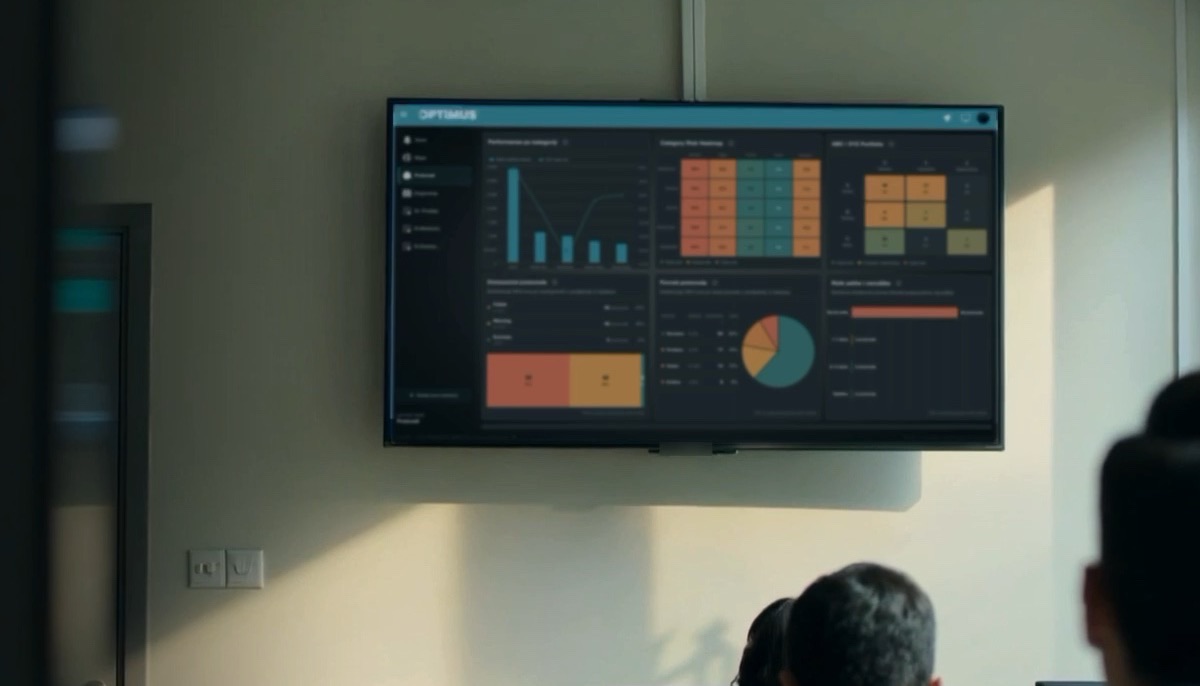
Dashboards and reports built on your own operational data.
Explore this solution
Routine approvals, checks and alerts handled automatically.
Explore this solutionLET'S MOVE FORWARD
Request a demo and see what connected operations could look like for your business.